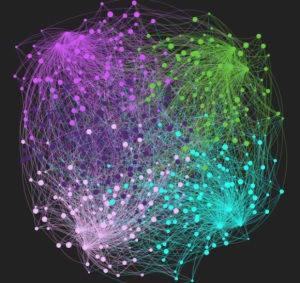
I’ve done a few posts recently using D3.js and now I want to show you how to use two other great Javascript libraries to visualize your graphs. We’ll start with Sigma.js and soon I’ll do another post with Three.js.
Continue reading
I’ve done a few posts recently using D3.js and now I want to show you how to use two other great Javascript libraries to visualize your graphs. We’ll start with Sigma.js and soon I’ll do another post with Three.js.
Continue reading
Thank you very much to Groupon Engineering! They hosted our Graph Database Meet-up at their Headquarters.
Join us April 30th, 2012 for Neo4j Basics and an introduction to Gremlin.


A few weeks ago I showed you how to visualize a graph using the chord flare visualization and how to visualize a network using a force directed graph visualization from D3.js.
On Twitter Claire Willett from Riparian Data asked:
https://twitter.com/#!/RiparianData/status/169099913580396544
This post on Graphs Beyond the Hairball by Robert Kosara explains why some non-traditional graph visualizations may work better and links us to an article explaining what a Node Quilt is and how it’s useful. We’re going to just take the first step and build a Matrix representation of a graph. We will use one of the JUNG clustering algorithms to help us understand it.
Continue reading

Some relationships change over time. Think about your friends from high school, college, work, the city you used to live in, the ones that liked you ex- better, etc. When exploring a social network it is important that we understand not only the strength of the relationship now, but over time. We can use communication between people as a measure.
I ran into a visualization that explored how multiple parties where connected by communications in multiple projects. We’re going to reuse it to explore how multiple people interact with each other. So let’s make a network of 50 friends and connect them to each other multiple times. Think of it as people writing on your facebook wall.
Continue reading
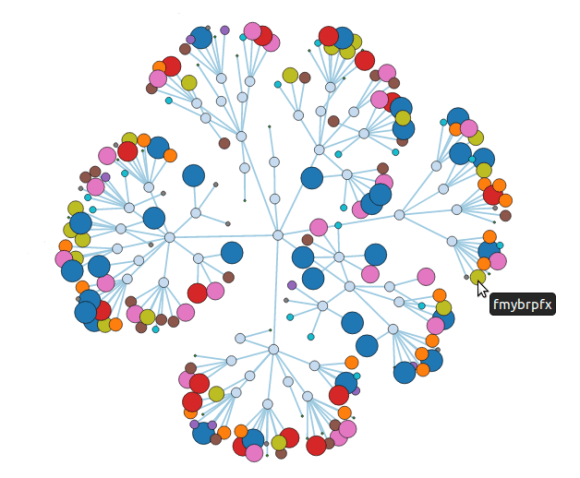
We’ve seen some pretty nice visualizations of nodes and their immediate neighbors, but we want to be able to visualize more. So we’re going to prepare a 200 node network, use Cypher to extract the data we want and visualize it with D3.js.
Continue reading

Like I promised in my previous post, I wanted to do a little something on D3.js.
We are going to take one of their example visualizations and visualize a follows graph.
To create our graph, we will take the names of 20 people: create nodes for them, add them to an index, and randomly link them together.
Continue reading

Cypher is the query language of Neo4j, and as promised I’ll show you how you can use it to implement friend recommendations as well as degrees of separation.
We can send any cypher query to Neo4j via the REST API and neography using the execute_query command. Let’s implement suggestions_for so it sends a cypher query to the server:
def suggestions_for(node)
  node_id = node["self"].split('/').last.to_i
  @neo.execute_query("START me = node({node_id})
                      MATCH (me)-[:friends]->(friend)-[:friends]->(foaf)
                      RETURN foaf.name", {:node_id => node_id})["data"]
end

puts "Johnathan should become friends with #{suggestions_for(johnathan).join(', ')}"

# RESULT
# Johnathan should become friends with Mary, Phil
 Max De Marzi